
Saker starts
on your phone.
Follow your plan, log sessions fast, and keep your training synced wherever you are. When you want more room to set things up, open Saker Builder on the web.
Download the app


Prefer a bigger screen for setup and editing? Build on the web, then send plans to the app.
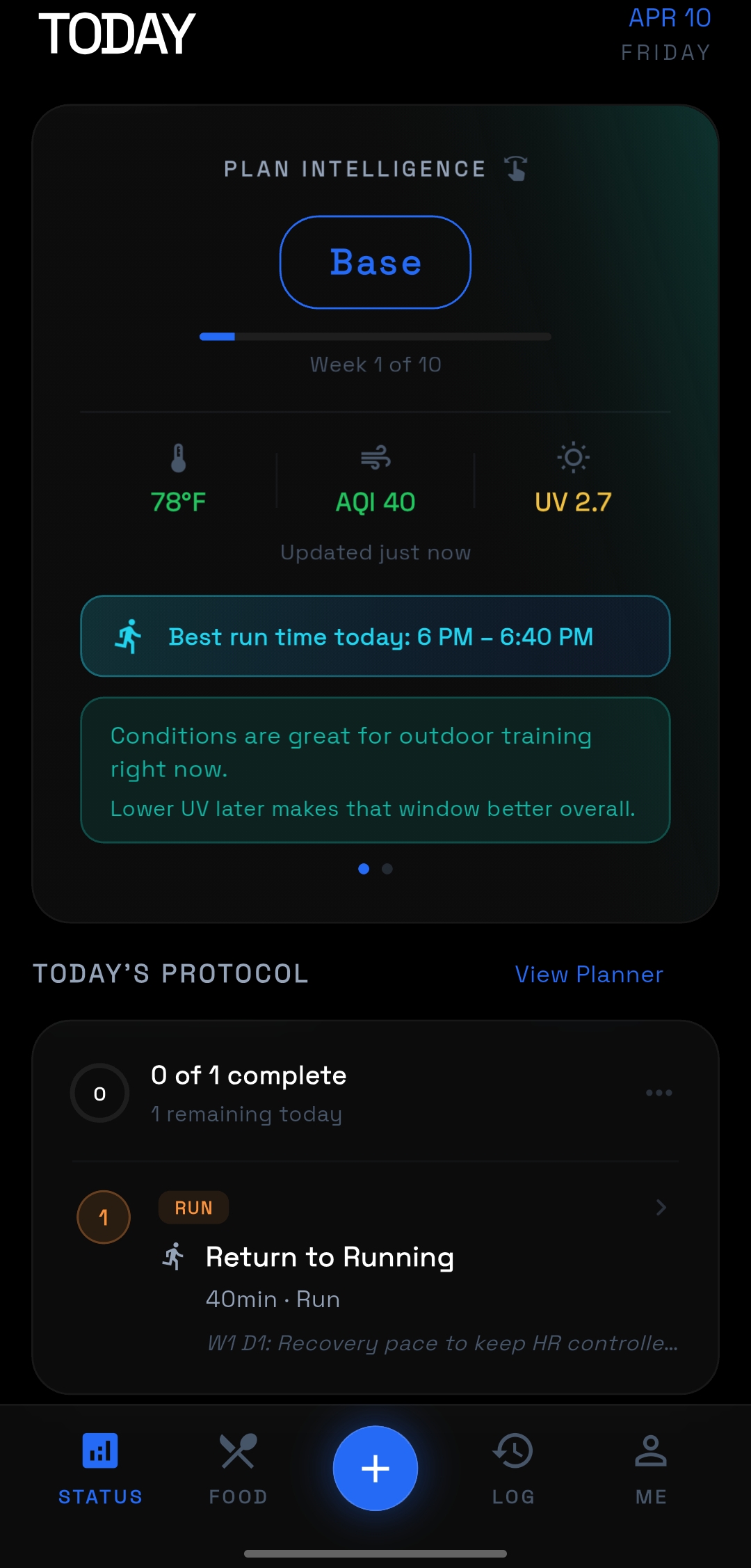
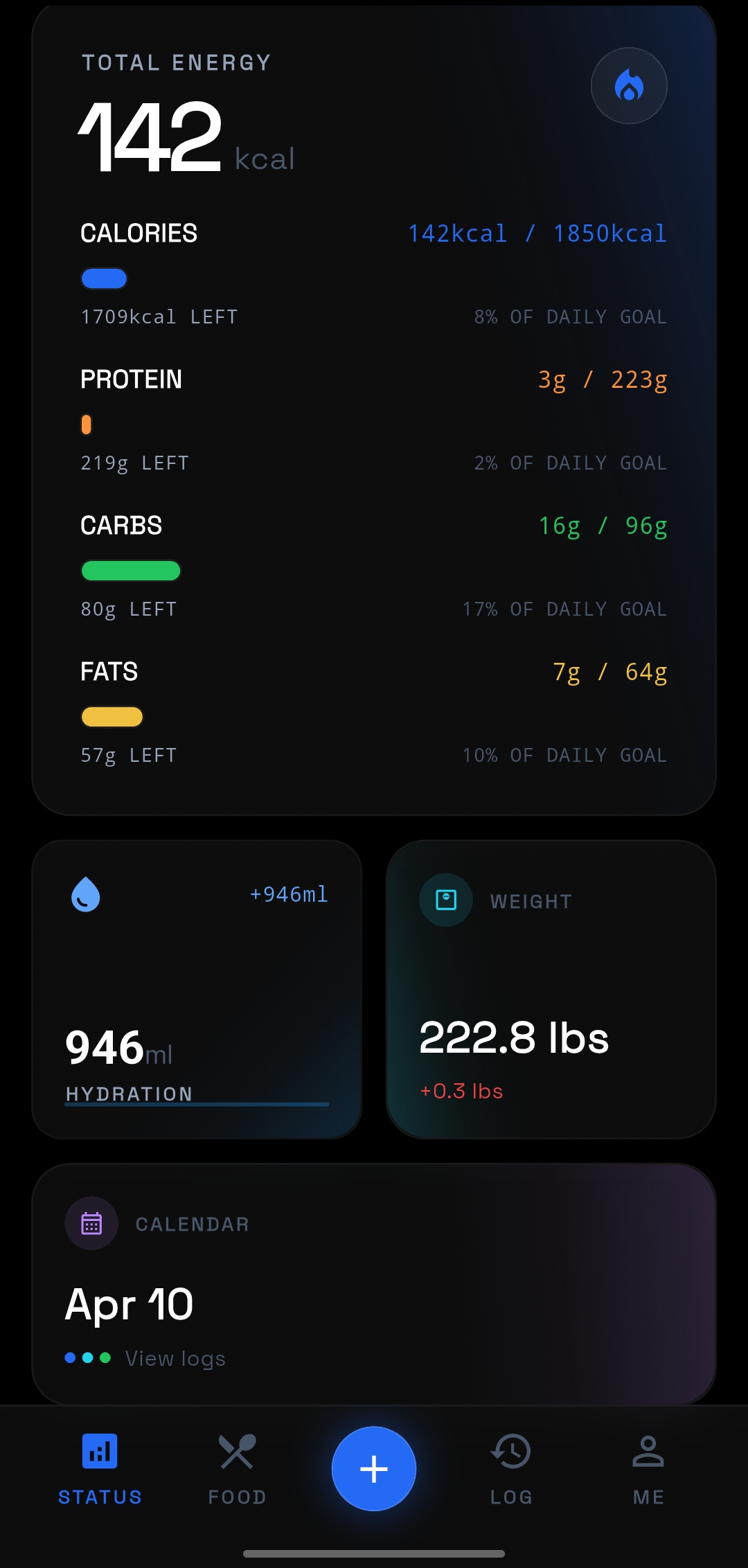
Open the app and see today's session without digging through menus.
Set up the week on the web, then keep moving on your phone.
Built for the part of training you actually repeat.
Open the app, see the plan, log the work, and move on. The mobile experience should feel fast when you are in the gym or between sessions, not like a miniature spreadsheet.
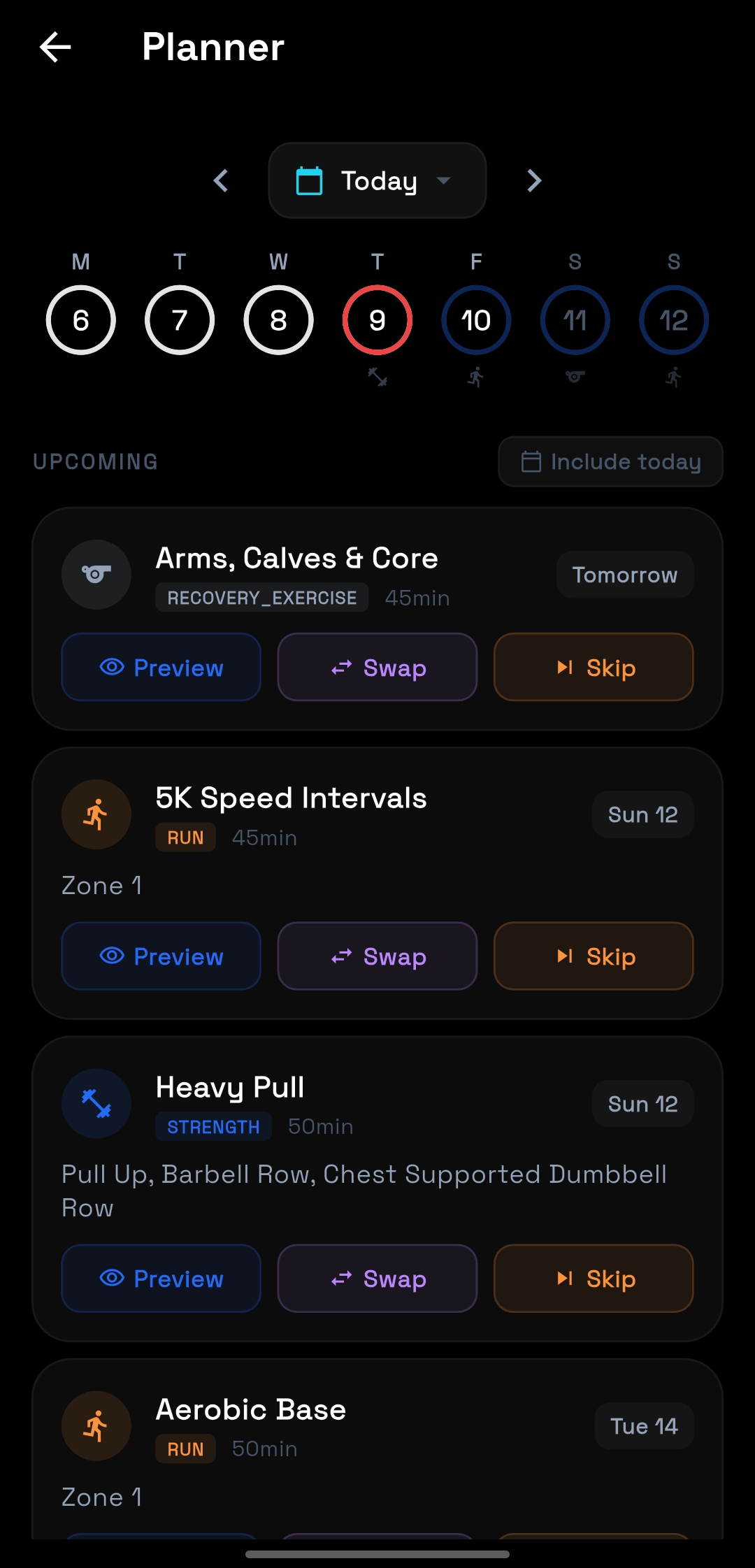
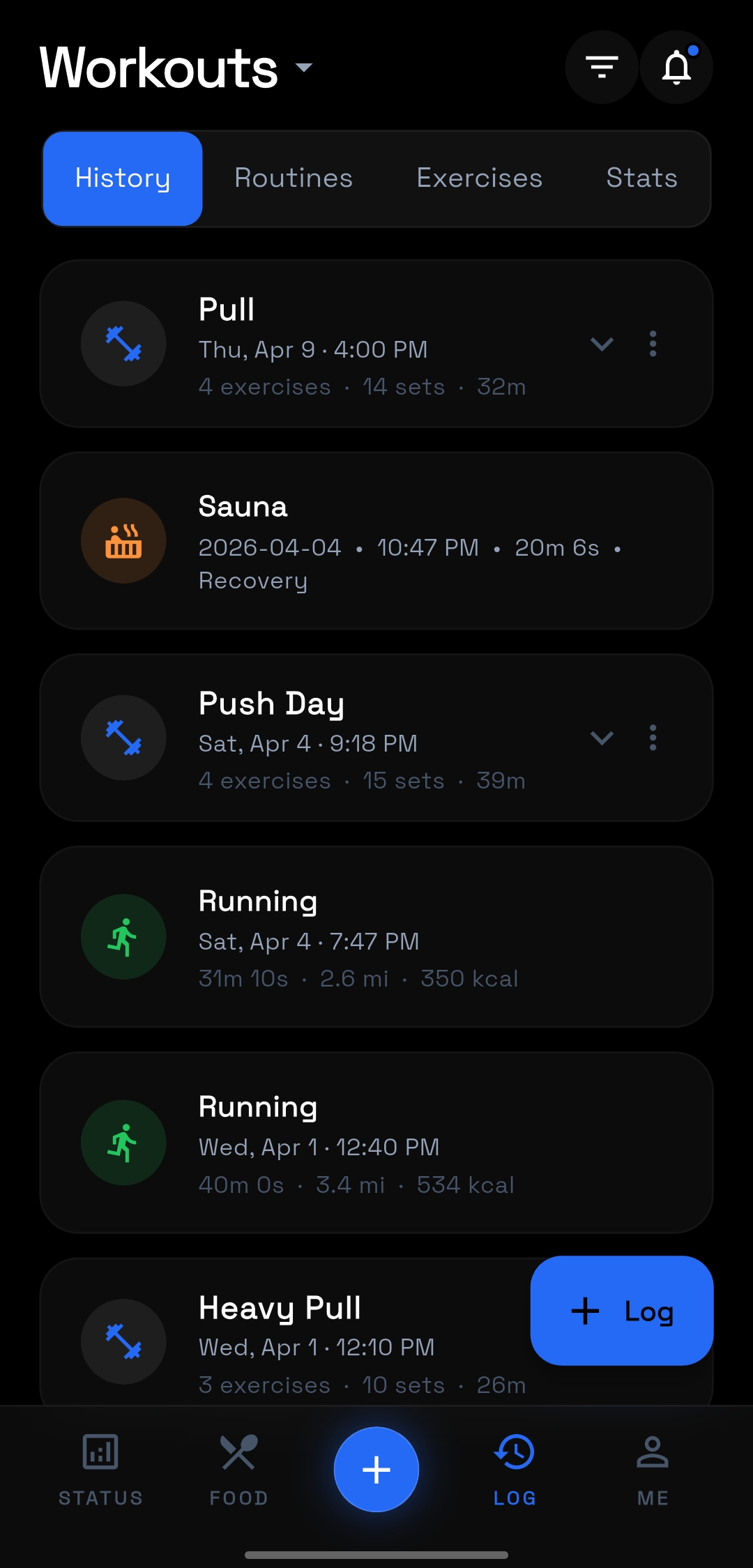
See what is next and what you already did.
The planner keeps the next session obvious. History keeps the last sessions easy to review. You should not need extra taps or another app just to stay oriented.
See upcoming sessions immediately instead of navigating through setup screens.
Keep workout history readable so previous work informs the next session.
Use the phone for execution while larger planning stays on the web.
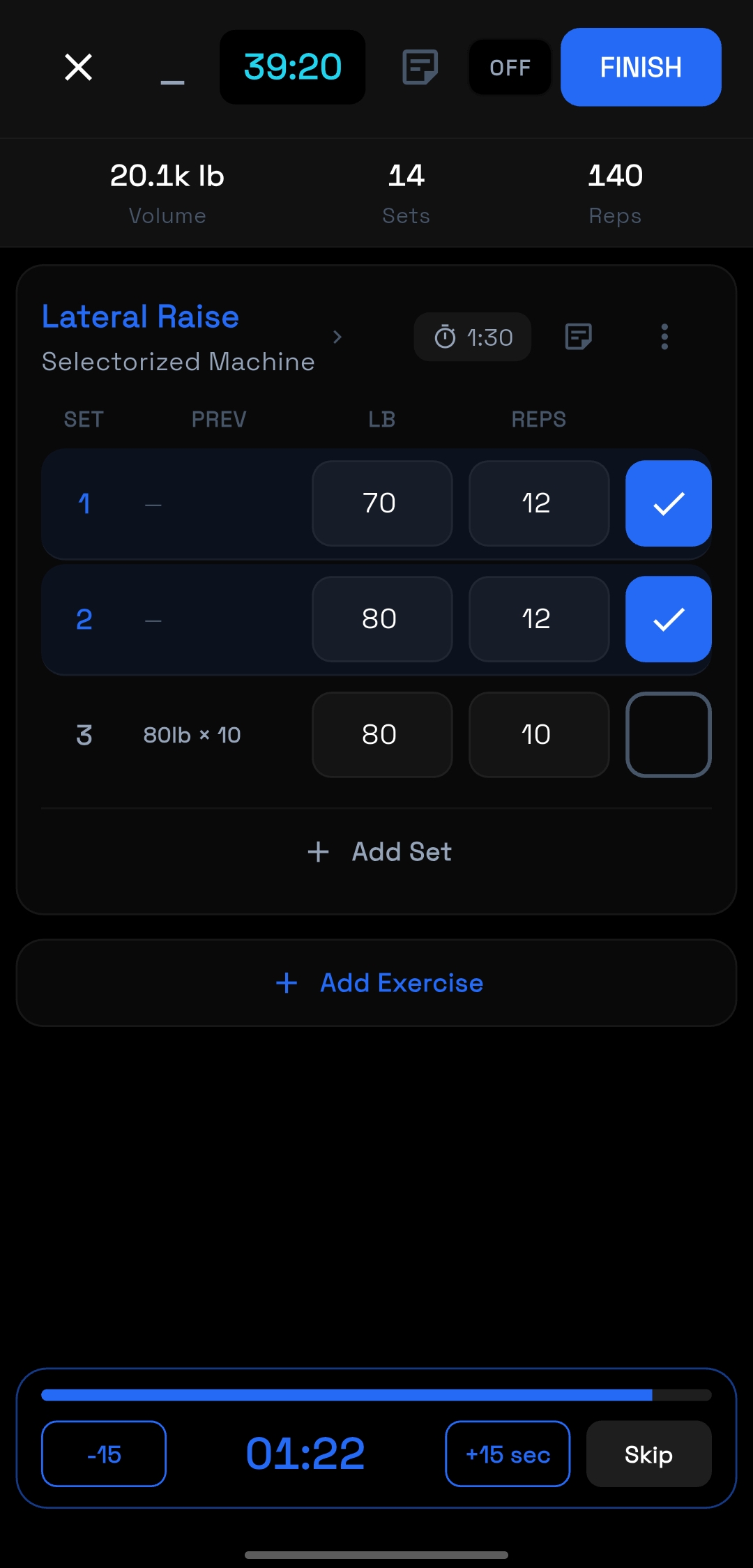
Track the session while you are still in it.
Logging needs to stay out of the way. Sets, reps, timers, and rest should all be visible without compressing the workout into a cluttered interface.
Keep the active exercise, previous work, and next input on one screen.
Use clear rest timing and quick confirmations between sets.
Stay in motion instead of treating logging like admin work.
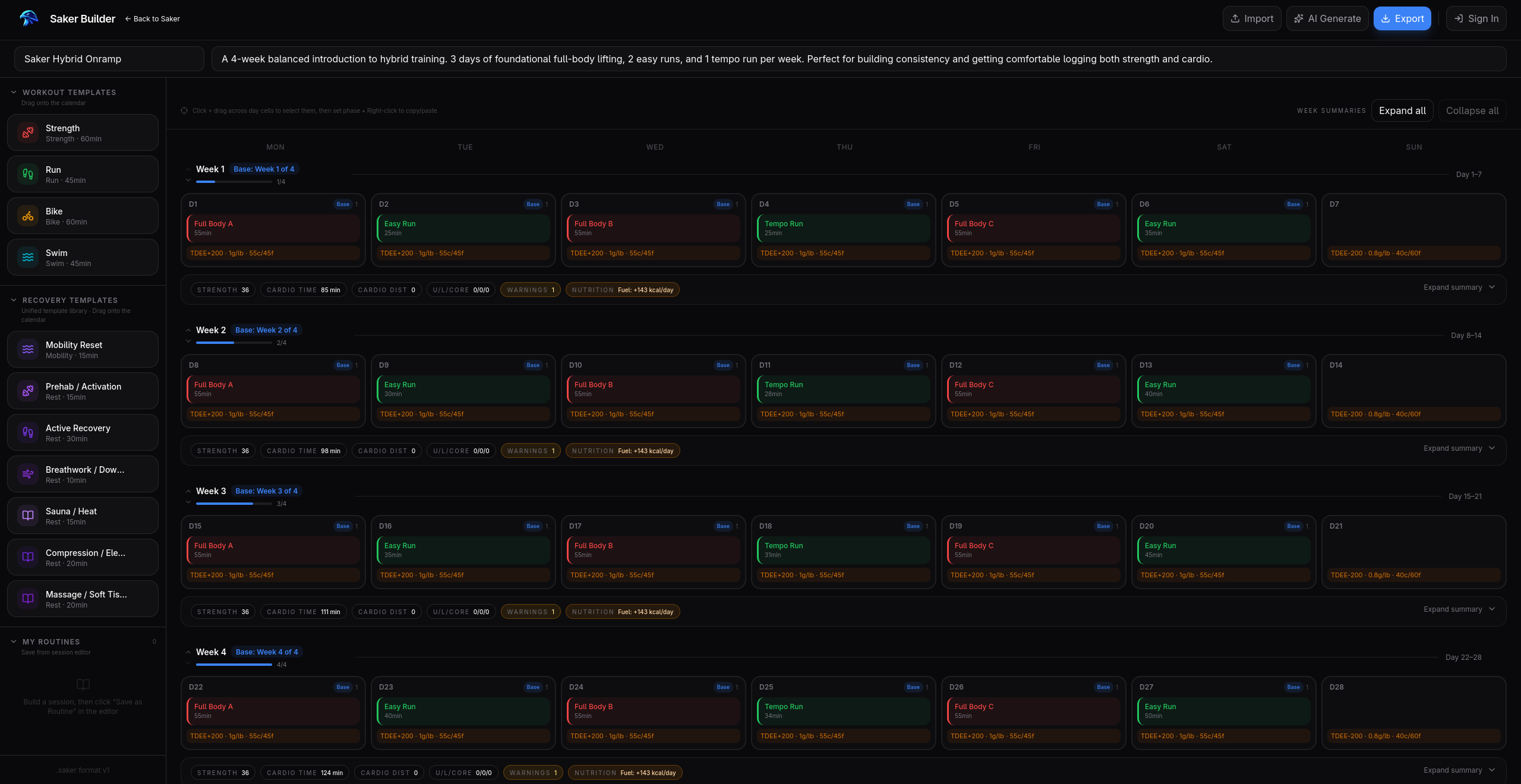
Structured week building
Lay out sessions across the full week, compare workload at a glance, and make edits without compressing the plan into a phone-sized surface.
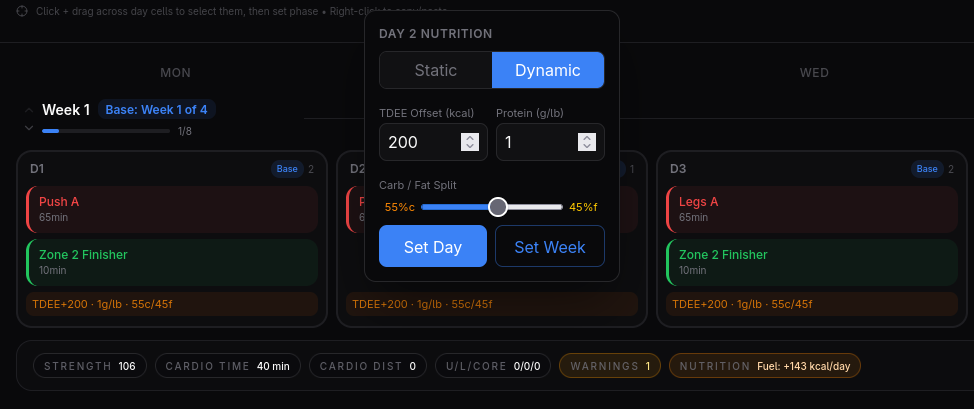
Prefer a larger screen? Build on the web.
Saker Builder is the companion workspace for setup, editing, and structured planning. Build with more room on the web, then move back to the app for the day-to-day work.
Set up faster
Map out a week block or training plan with more space and structure.
Edit more clearly
Use a larger screen when the work is detailed, repetitive, or easier to compare side by side.
Bring in AI or templates
Start from a generated plan or manual structure, then refine it before it hits the app.
Send to device
Once the plan looks right, push it into the mobile app and use it there.
One ecosystem, in the right order.
Start with the app, reach for the builder when you need more room, and keep an eye on Pro as the next layer taking shape.
Saker App
Use it for daily training, quick logging, and following the plan that matters today.
Role
Everyday use, on the go.
Saker Builder
Use it on the web for setup, editing, and structured planning before sending plans to the app.
Role
Setup, editing, and management.
Saker Pro
Advanced desktop workflows are in development for the next stage of the Saker ecosystem.
Role
Advanced desktop workflows later.
One app for the parts that happen every day.
Training, nutrition, fasting, and strategy should feel connected. The mobile product works best when each part is visible at real size and explained in context.
Nutrition
Track intake without losing the training context.
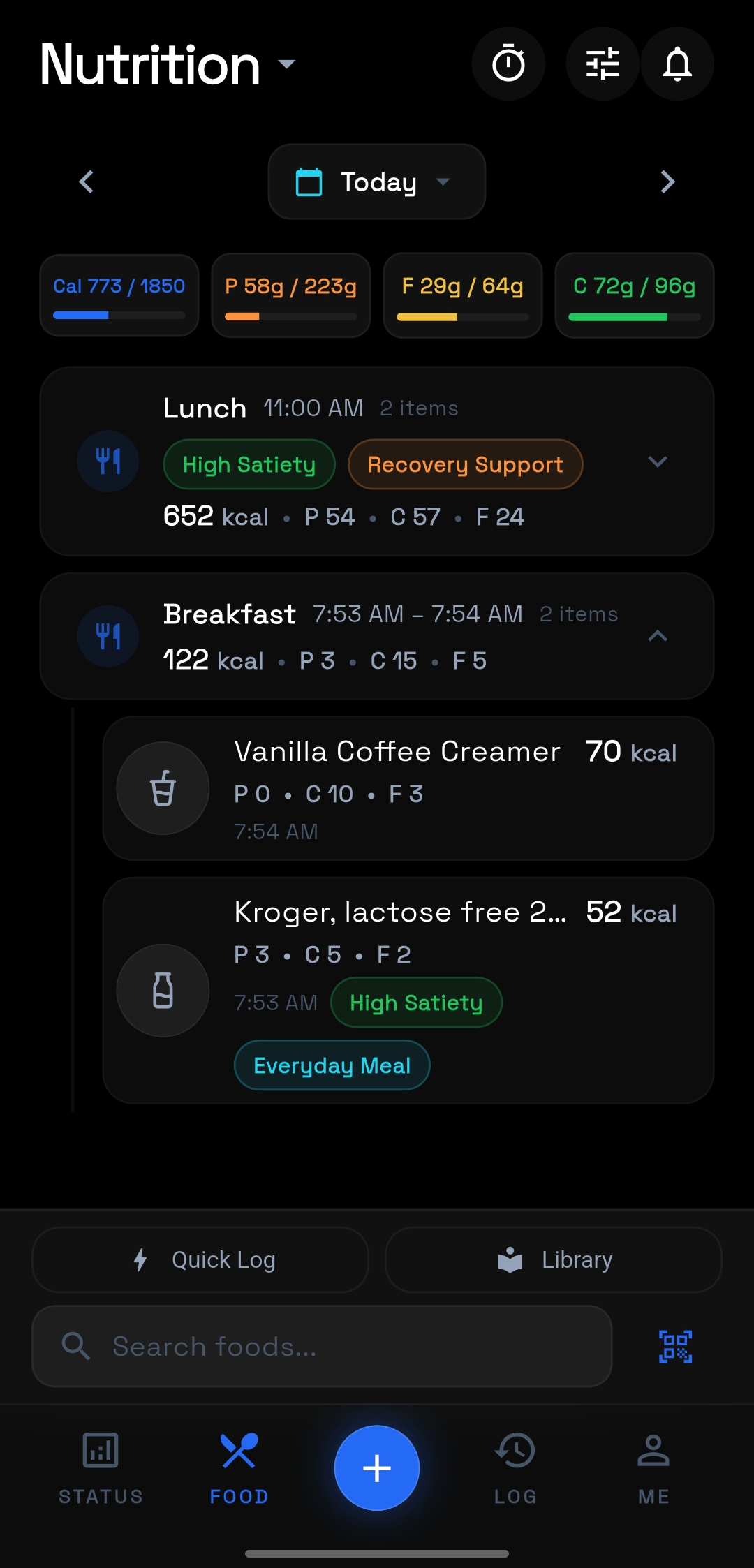
Nutrition should feel like part of the same system, not a separate app. Keep calories, macros, meals, and daily progress in the same mobile flow.
See macro progress and meals in one screen.
Keep daily nutrition attached to the actual training day.
Make food logging fast enough to use consistently.
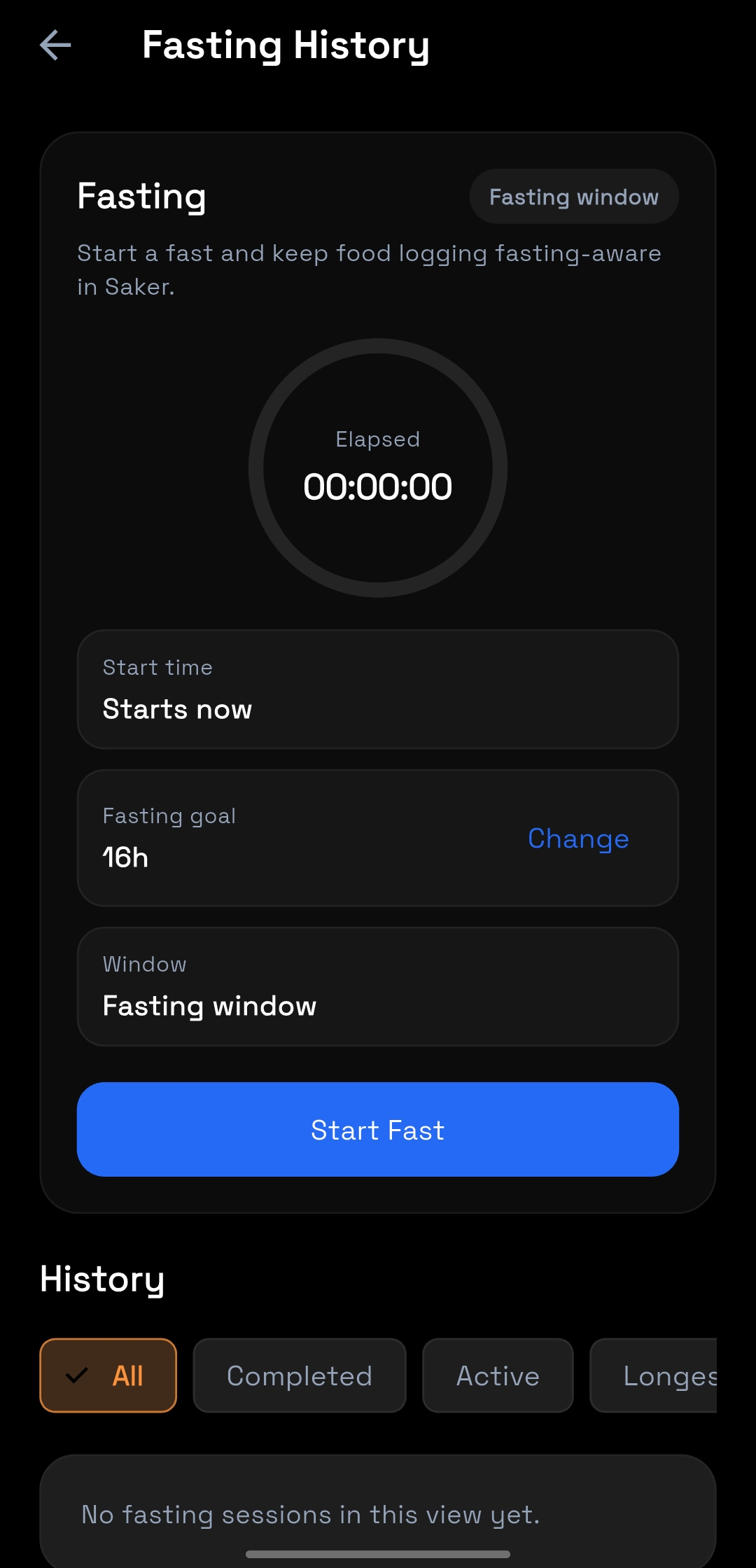
Fasting
Use fasting as part of the plan, not as a disconnected timer.
When fasting matters to the overall approach, it should live next to nutrition and recovery instead of being handled in another tool.
Start and track fasting windows inside the app.
Keep fasting history tied to the same daily workflow.
Avoid splitting nutrition behavior across multiple products.
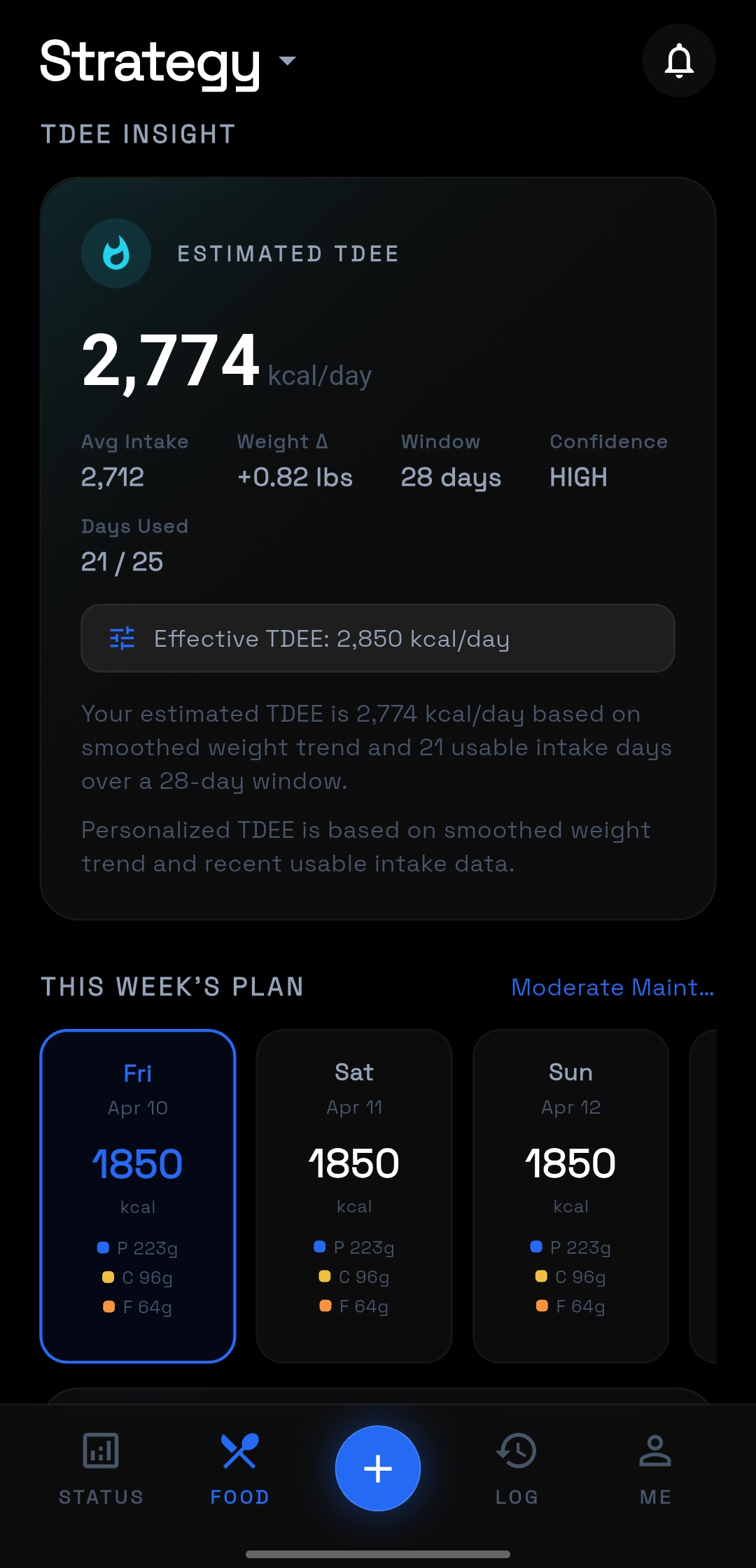
Strategy
Keep the calorie target anchored to actual data.
Daily nutrition targets should not be static guesses. The strategy view makes the TDEE logic visible so adjustments feel deliberate rather than arbitrary.
Show estimated TDEE and intake context together.
Keep the weekly plan visible at the same time as the target.
Make the nutrition strategy understandable at a glance.
Saker Pro is coming later.
Advanced desktop workflows are in development. If you want updates as that work becomes real, join the waitlist here.
Start with Saker
Use the app today. Build deeper on the web.
The current product is ready in two places: the app for everyday execution and the builder for larger-screen planning.